

Simple Trick for Aligning Planer Infeed and Outfeed Tables
Getting consistently smooth, accurately dimensioned lumber starts with a properly adjusted thickness planer. One important part of that setup is making sure the infeed and outfeed tables are aligned with the main planer bed.
Unfortunately, adjusting these tables can feel like a balancing act. As you work on one end, it's easy to disturb the alignment at the other.
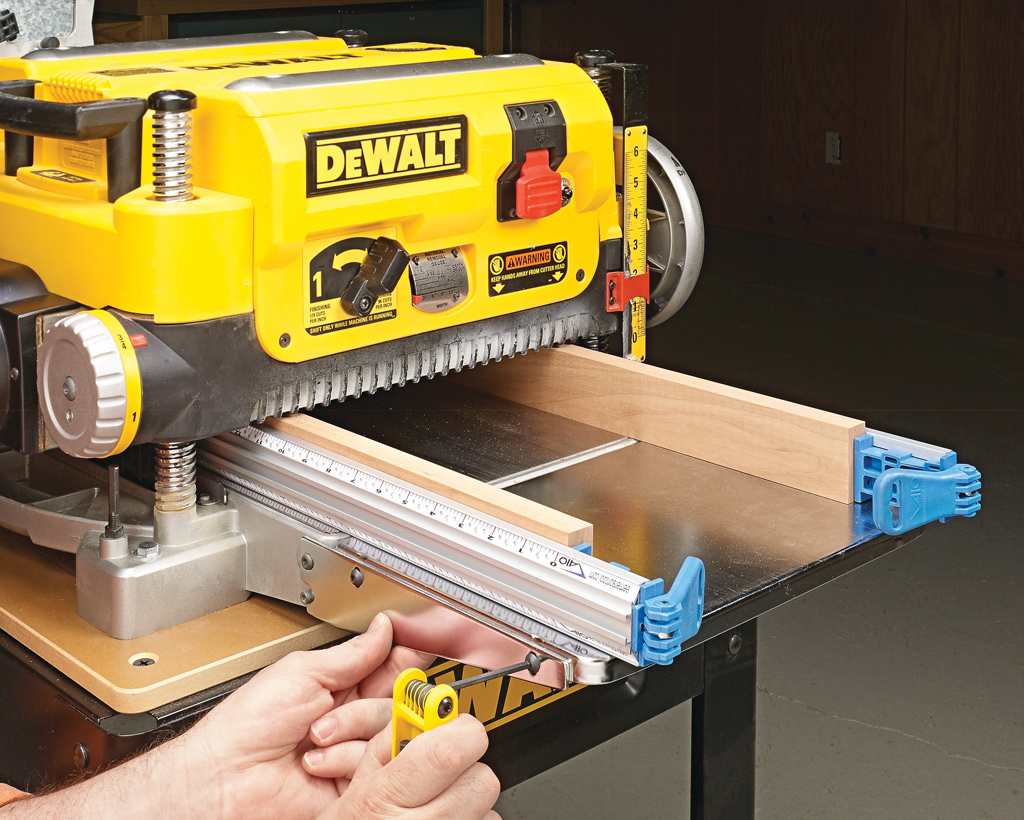
Here's a simple solution that makes the job much easier using a pair of straightedges and two hardwood boards.
Make a Simple Planer Table Alignment Jig
The key to this technique is using two long, straight guides to establish a reference surface across the planer bed and extension tables.
You'll need:
- Two straightedges long enough to span the planer bed and both extension tables
- Two straight hardwood boards that fit inside the planer opening
- Two clamps to secure the hardwood boards to the straightedges
The hardwood boards provide a surface for the cutterhead assembly to rest against while holding the straightedges in position.
Woodsmith Tip: Before starting, unplug the planer and clean the main bed and extension tables thoroughly. Even a small chip or piece of debris beneath a straightedge can affect the accuracy of the setup.
Position the Straightedges and Supports
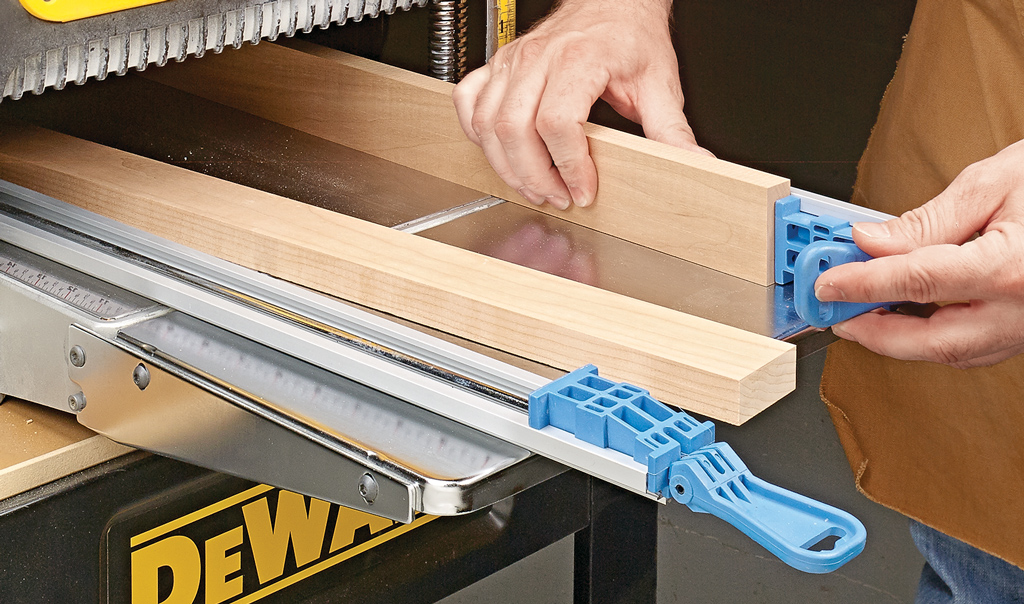
Start by sliding the two hardwood boards and straightedges through the planer opening.
Position the straightedges so they rest firmly on the main planer bed and extend across the infeed and outfeed tables.
Make sure both guides are sitting flat on the bed without any debris underneath them.
Next, clamp a hardwood board to each straightedge. The boards should be positioned inside the planer where they can serve as supports for the cutterhead assembly.
Adjust the Infeed and Outfeed Tables
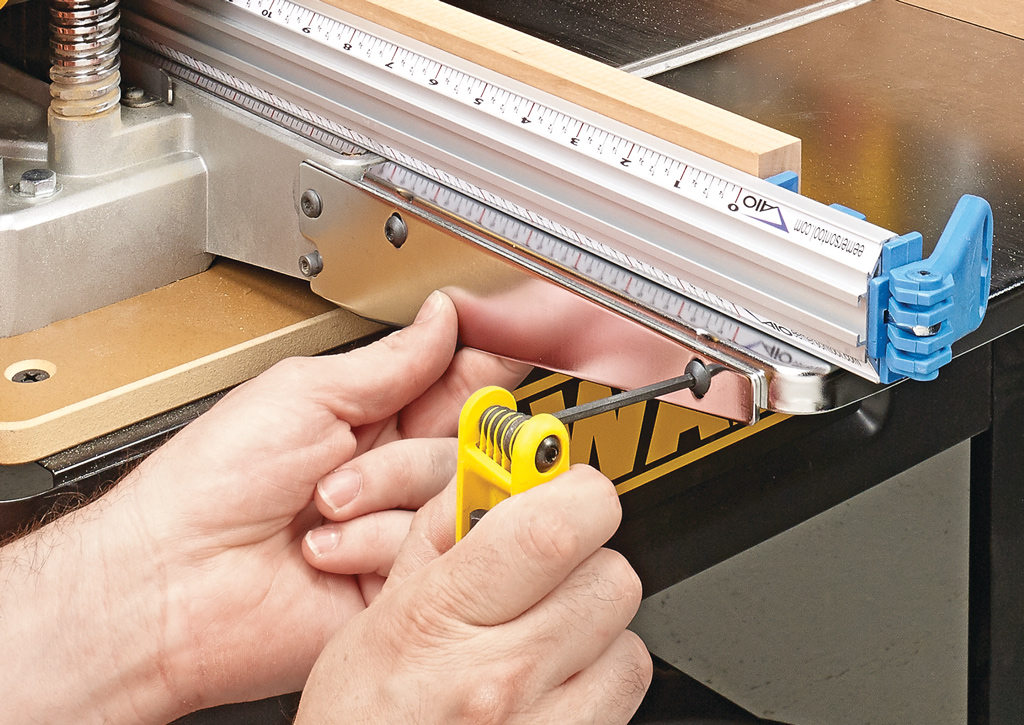
With the planer unplugged and the setup positioned, carefully lower the cutterhead assembly onto the hardwood supports and lock the height adjustment.
The hardwood boards help hold the straightedges firmly against the planer bed while you make adjustments.
Now adjust the infeed and outfeed tables until their surfaces align with the straightedges.
Check both sides of each table to make sure the adjustment is consistent across its width.
Once everything is aligned, tighten the table adjustments according to your planer's instructions.
Remove the guides and hardwood supports before operating the planer.
Woodsmith Tip: Check your planer's owner's manual before making adjustments. Some manufacturers recommend a specific extension-table angle or alignment procedure rather than setting the tables perfectly flush with the main bed.
Better Planer Setup, Better Results
A properly adjusted planer helps support boards as they enter and exit the cutterhead, making it easier to achieve consistent thickness and reduce problems such as snipe.
With this simple straightedge setup, aligning the tables becomes a much more manageable job. And once you've made the adjustment, it's easy to check the alignment again whenever your planer needs a tune-up.
Keep Your Thickness Planer Running Smoothly
Proper table alignment is just one part of keeping your planer in top condition. Regular cleaning, cutterhead inspection, feed roller maintenance, and lubrication can all help your machine deliver better results.
Learn the essential maintenance steps that keep your thickness planer performing at its best.
EXPLORE PLANER MAINTENANCE TIPS → Thickness Planer Checkup: Essential Maintenance Tips