


Router Tune-Up: 5 Essential Maintenance Tips for Your Woodworking Router
A woodworking router gets a workout in my shop. Whether I'm cutting joinery, routing grooves, or shaping edges, it's one of those tools I rely on for accurate, repeatable results. But all that use takes a toll. Dust and grime build up, adjustments become harder to make, and changing bits can turn into a frustrating chore.
That's why I make it a point to give my router a quick maintenance tune-up every so often. It only takes a few minutes, and the payoff is smoother adjustments, easier bit changes, and more reliable performance.
Here are five simple maintenance tasks that will help keep your router in top working condition.
1. Clean the Router Motor Housing and Base
One of the first places I check is where the router motor fits into the base. After countless bit changes and height adjustments, the sliding surfaces can become coated with dust, grime, and small burrs. Eventually, the motor may become difficult to move, making accurate bit-height adjustments a real challenge.
Fortunately, the fix is simple.
Start by unplugging the router and removing the motor from the base. Use a fine abrasive pad or fine sandpaper to gently remove stubborn buildup and raised burrs from the appropriate metal surfaces. Take care not to remove any protective coatings or damage plastic parts.
Next, clean the inside of the router base. A small brush works well for removing dust packed into grooves and recesses.
Wipe both surfaces clean before reassembling the router. If the manufacturer recommends lubrication, apply a light coat of an approved lubricant to the sliding surfaces. Avoid leaving an oily film that could attract more sawdust.
The motor should move smoothly in the base, making it easier to dial in precise cutting depths.
2. Remove Dust from the Router Motor
Dust is one of the biggest enemies of a router motor. During operation, the cooling fan draws air through the housing, and fine sawdust can accumulate around the ventilation openings and internal components.
Over time, this buildup can restrict airflow and contribute to overheating.
With the router unplugged, use a soft brush or vacuum to clean the ventilation openings and remove loose dust from the exterior.

For routers designed to allow additional cleaning, follow the manufacturer's instructions for accessing the motor housing. Low-pressure compressed air can help dislodge dust where its use is permitted, but avoid directing a powerful blast into the motor or spinning the cooling fan with compressed air.
A few minutes spent keeping the cooling passages clear can help the motor run cooler and more reliably.
3. Inspect the Switch and Electrical Components
While you're cleaning the motor, take a moment to check the router's electrical components.
Dust can collect around the power switch and cord connection, so keep these areas clean and free of debris.
Inspect the power cord for cuts, cracks, or damaged insulation. Make sure the switch operates smoothly and doesn't stick.
A small brush or vacuum is usually all you need to clean around the accessible components.
Avoid spraying lubricant or cleaning products into the switch or electrical housing unless the manufacturer specifically recommends it.
If you notice a damaged cord, intermittent operation, excessive sparking, or a faulty switch, have the router serviced before using it again.
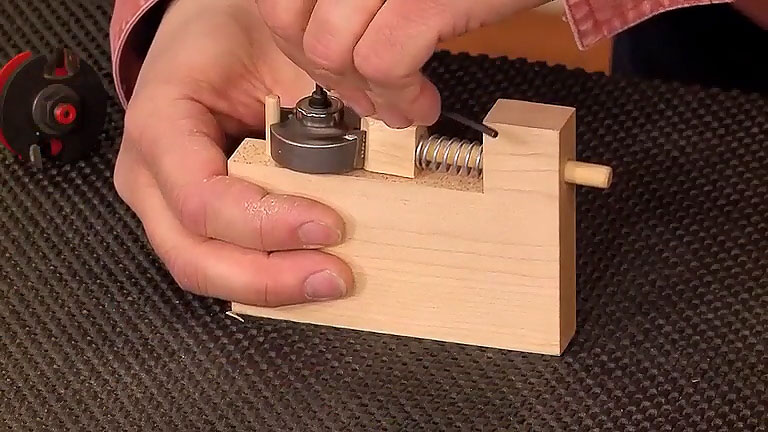
4. Clean the Router Collet for a Secure Grip
The collet is a small part with a big responsibility. It has to grip the router bit securely while the motor spins at thousands of revolutions per minute.
Dust, resin, and fine debris can collect inside the collet, making bit changes difficult and interfering with its ability to grip the shank properly.
Start by unplugging the router and removing the bit and collet assembly.
Take a close look at the inside of the collet. The gripping surfaces should be clean and smooth, without any packed-in debris.

Use a small nylon brush or another suitable cleaning tool to remove buildup. Be careful not to scratch or damage the precision surfaces.
It's also a good idea to inspect the collet for cracks, distortion, or excessive wear. If it's damaged, replace it.
Keeping the collet clean helps ensure a firm grip on the router bit and makes bit changes easier.
5. Clean the Arbor Socket and Collet Nut
Cleaning the collet is only half the job. You also need to make sure it seats properly in the router spindle.
The tapered arbor socket can collect fine dust and debris that prevents the collet from seating evenly.

Use a clean brush to remove any buildup, taking care not to damage the machined surfaces.
A clean socket allows the collet to seat correctly and apply even pressure around the router bit shank.
Keep the Collet Nut Threads Clean
The final step is to check the collet nut.
Dust and grime on the threads can make the nut difficult to tighten or loosen. Clean the threads thoroughly with a small brush and wipe away any remaining debris.

If your router manufacturer recommends lubricating the threads, use only the specified lubricant and apply it sparingly. Keep lubricant off the collet's gripping surfaces and the router bit shank.
Before installing a bit, make sure the shank is clean and free of damage. Insert it to the depth recommended by the manufacturer and tighten the collet nut securely.
Never tighten an empty collet. Doing so can damage the collet and affect its ability to grip a bit properly.
How Often Should You Tune Up Your Router?
How frequently you clean your router depends on how much you use it and the type of work you're doing.
Routing MDF, plywood, and other sheet goods can generate plenty of fine dust, so those projects may call for more frequent cleaning.
I like to give my router a quick inspection whenever I notice an adjustment becoming stiff or a bit change taking more effort than usual.
Here are a few signs that it's time for a tune-up:
- The motor doesn't slide smoothly in the base.
- Bit-height adjustments are difficult to make.
- Router bits are hard to install or remove.
- Dust is collecting around the motor ventilation openings.
- The collet nut is difficult to tighten or loosen.
- The router runs unusually hot or makes unfamiliar noises.
A little attention before these problems become serious can save time and frustration later.
Keep Your Router Ready for the Next Project
A router doesn't require much maintenance, but keeping it clean makes a noticeable difference in how well it performs.
Smooth height adjustments, a clean motor, and a properly maintained collet all contribute to more accurate, trouble-free routing.
The next time you finish a project, take a few minutes to give your router a once-over. It's an easy habit that helps keep this hardworking tool ready whenever you need it.
More Woodworking Tips & Tricks
A quick router tune-up is just one way to keep your workshop running smoothly. Discover more practical woodworking tips, clever shop-made jigs, tool maintenance ideas, and time-saving techniques that can make your next project easier.
From improving accuracy to solving everyday shop problems, these handy tips will help you get more from your tools and your time in the workshop.
EXPLORE MORE WOODWORKING TIPS → Simple Shop Solutions That Make Woodworking Easier